실시간 번역 자막Real-time Translated Captions
말하는 즉시 문장 단위로 번역되어 화면에 흐릅니다. 원문과 번역을 함께 보거나 번역만 볼 수 있습니다.Translations appear sentence by sentence as the speaker talks. View original + translation together, or translation only.
발표자의 음성을 실시간으로 번역해, 참가자는 각자의 언어로 자막을 보고 음성을 들을 수 있습니다. 실내 회의장은 물론 야외 워크샵까지 — 두 개의 앱으로 간단하게. A speaker's voice is translated in real time — attendees receive captions and audio in their chosen language. From conference halls to outdoor workshops, powered by just two apps.
다양한 언어 입력 · 다양한 언어 번역 · 자막 + 번역 음성 · Android · iOS · Windows · macOS · Web Multiple input languages · Multiple output languages · Captions + translated audio · Android · iOS · Windows · macOS · Web
강연·세미나·국제 행사·예배에서, 참가자는 각자의 언어로 따라갈 수 있습니다. At lectures, seminars, international events, and worship services — attendees follow along in their own language.
말하는 즉시 문장 단위로 번역되어 화면에 흐릅니다. 원문과 번역을 함께 보거나 번역만 볼 수 있습니다.Translations appear sentence by sentence as the speaker talks. View original + translation together, or translation only.
발표는 여러 언어로 진행할 수 있고, 참가자는 듣고 싶은 언어를 직접 골라 받아봅니다.Presentations can be delivered in multiple languages, and each attendee picks the language they want to receive.
자막에 더해 번역 음성도 제공합니다. 지원 언어와 네트워크 환경이 좋을 때 자막과 함께 들을 수 있습니다.Translated audio accompanies the captions, available alongside subtitles depending on supported languages and network conditions.
고정 부스나 전용 장비 없이, 강사와 참가자가 함께 이동하는 야외 워크샵에서도 사용할 수 있습니다.No fixed booth or special hardware required — works even in outdoor workshops where instructors and attendees move around together.
발표자는 말하고, 서버가 번역하고, 참가자는 자신의 언어로 받아봅니다. The speaker talks, the server translates, and attendees receive it in their own language.
발표자의 마이크·시스템 오디오를 캡처해 서버로 실시간 송출합니다.Captures the presenter's microphone or system audio and streams it live to the server.
음성을 인식하고 참가자가 선택한 언어로 번역, 번역 음성까지 생성합니다.Recognizes speech, translates into each attendee's chosen language, and generates translated audio.
참가자는 접속 코드만 입력하면 번역 자막과 음성을 실시간으로 받아봅니다.Attendees simply enter a session code to receive live translated captions and audio.
회의장을 벗어나도 그대로.Works beyond the venue too. 두 앱은 모바일에서도 동작하므로, 야외 워크샵에서 강사와 참가자가 함께 이동하면서도 끊김 없이 번역을 주고받을 수 있습니다. 네트워크가 잠시 끊겨도 자동으로 재연결됩니다.Both apps run on mobile, so instructors and attendees can move freely in outdoor workshops without losing translation. If the network drops, the connection restores automatically.
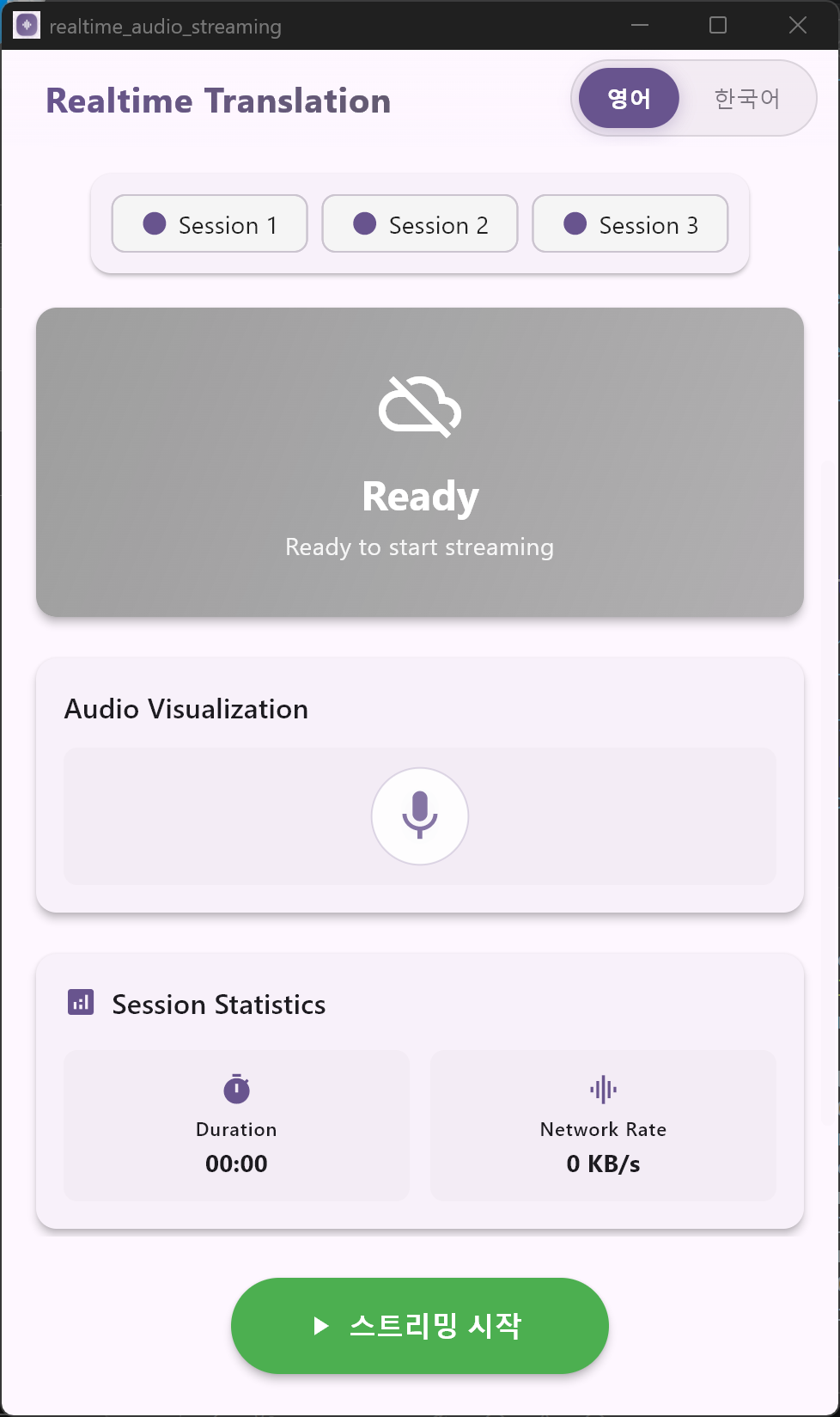
발표자용 송신 앱입니다. 별도 장비나 부스 없이, 말하는 음성을 실시간으로 서버에 전달합니다. The presenter's sending app. No special equipment or booth required — streams your voice to the server in real time.
마이크 또는 기기의 시스템 오디오를 골라 송출을 시작합니다. 음성은 곧바로 서버로 전달되어 AI 번역·통역을 거쳐 참가자 수신앱으로 도착합니다.Choose your microphone or system audio, then start streaming. Your voice is sent directly to the server, processed by AI, and delivered to the attendees' Viewer App.
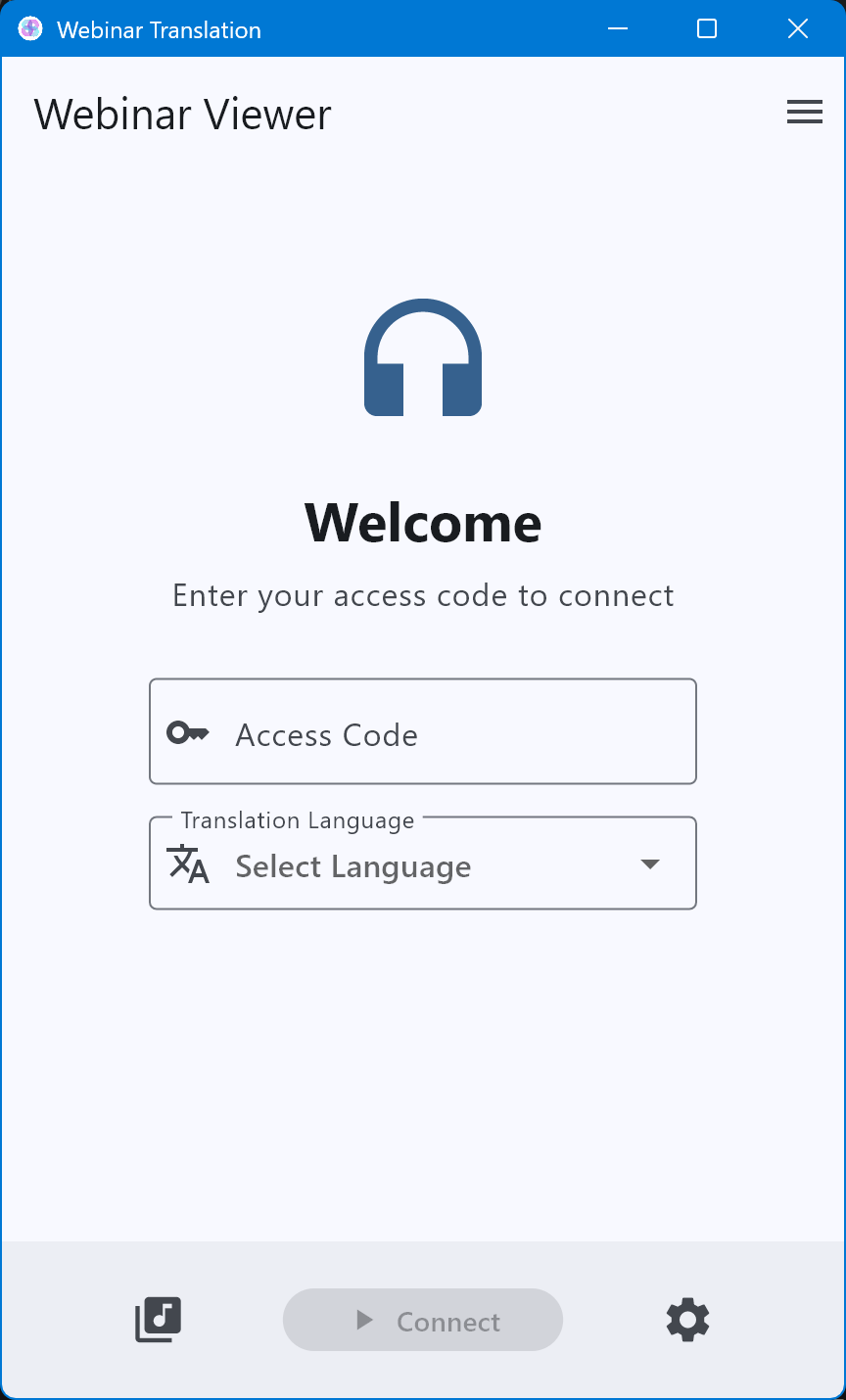
참가자용 앱입니다. 접속 코드만 입력하면 실시간 번역 자막과 음성이 시작됩니다. The attendee app. Enter a session code and live translated captions and audio begin immediately.
원문과 번역문을 함께 보거나, 번역문만 깔끔하게 볼 수 있습니다. 지금 음성으로 읽히는 문장은 하이라이트되어, 자막을 따라 자연스럽게 청취할 수 있습니다.View the original and translation together, or translation only. The sentence currently being spoken is highlighted so you can follow along naturally.
주최 측이 안내한 접속 코드를 입력하고 듣고 싶은 번역 언어를 선택하면, 앱 화면도 그 언어로 전환됩니다. 마지막 접속 코드는 자동으로 저장되어 다음에 바로 입장할 수 있습니다.Enter the session code provided by the organizer and pick your preferred translation language — the app UI switches to match. The last code is saved automatically for quick re-entry.
※ 위 언어는 예시입니다. 번역 자막은 행사에 필요한 다양한 언어로 제공할 수 있습니다.The languages shown above are examples. Captions can be provided in whatever languages your event requires.
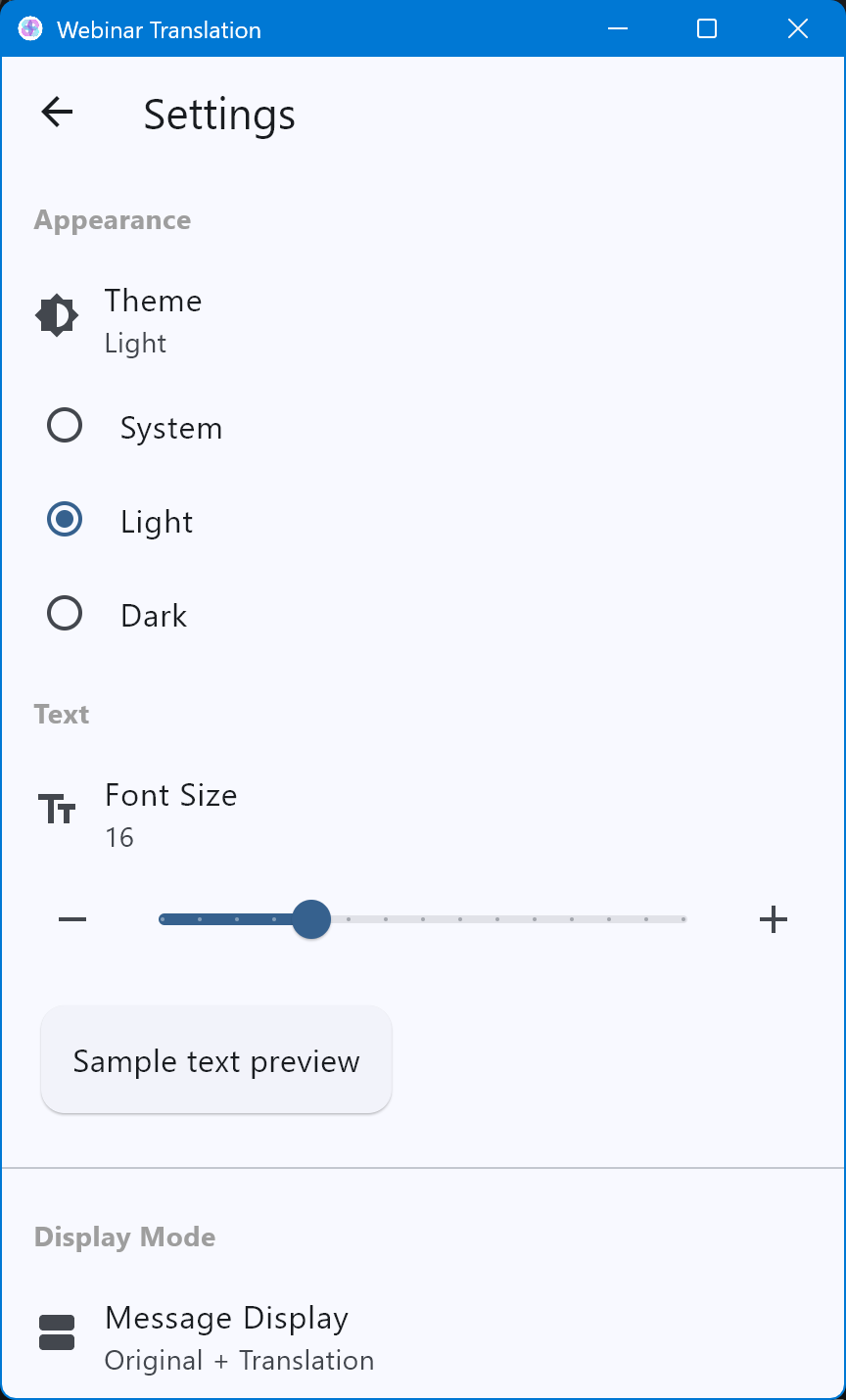
참가자마다 보기 편한 환경이 다릅니다. 글자 크기부터 테마, 자막 표시 방식까지 직접 맞출 수 있습니다.Every attendee has different preferences. Adjust font size, theme, and caption layout to suit your comfort.
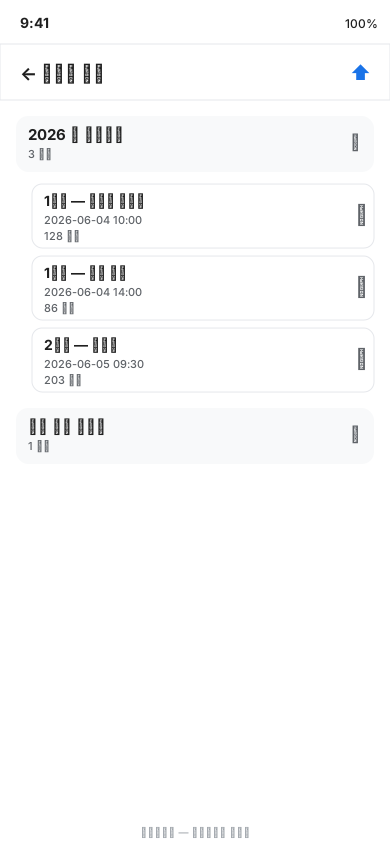
스트리밍 중 자막과 음성이 자동으로 저장됩니다. 행사가 끝난 뒤에도, 인터넷 없이 라이브러리에서 다시 재생하고 복습할 수 있습니다.Captions and audio are saved automatically during streaming. Even after the event, replay and review sessions from the library without an internet connection.
복잡한 설정 없이, 곧바로 듣기 시작합니다. No complex setup — start listening right away.
주최 측이 안내한 접속 코드를 입력합니다. 마지막 코드는 자동 저장되어 다음에 바로 입장.Enter the code provided by the organizer. The last code is saved so you can rejoin instantly next time.
듣고 싶은 언어를 고르면 앱 화면도 함께 그 언어로 전환됩니다.Pick your preferred language and the app UI switches to match.
번역 자막이 흐르고 음성이 재생됩니다. 화면을 잠가도 음성은 계속됩니다.Translated captions scroll and audio plays. The audio continues even when the screen is locked.
고정된 통역 부스가 필요했던 자리를, 앱 두 개로 대신합니다. Replace the fixed interpreter booth with just two apps.
강연·세미나·국제 컨퍼런스에서 참가자가 각자의 언어로 발표를 따라갑니다.At lectures, seminars, and international conferences, attendees follow the presentation in their own language.
강사와 참가자가 함께 이동하는 현장에서도, 모바일만으로 실시간 번역을 주고받습니다.Even when instructors and attendees move around the site together, real-time translation works with just a phone.
다양한 언어권의 참석자에게 같은 내용을 동시에 전달하고, 끝난 뒤 다시 들을 수 있습니다.Deliver the same message simultaneously to attendees from different language backgrounds, with the option to replay it later.
번역 자막은 행사에 필요한 다양한 언어로 제공됩니다. 번역 음성도 함께 제공하며, 지원 언어와 네트워크 환경에 따라 자막과 같이 들을 수 있습니다. 필요한 언어 구성은 도입 문의 시 안내해 드립니다. Translated captions are available in whatever languages your event requires. Translated audio is also provided, available alongside captions depending on supported languages and network conditions. Contact us to discuss the language configuration for your event.
강연, 세미나, 국제 컨퍼런스, 예배, 야외 워크샵 — 도입 및 시연 문의를 환영합니다. Lectures, seminars, international conferences, worship services, outdoor workshops — inquiries and demo requests welcome.